
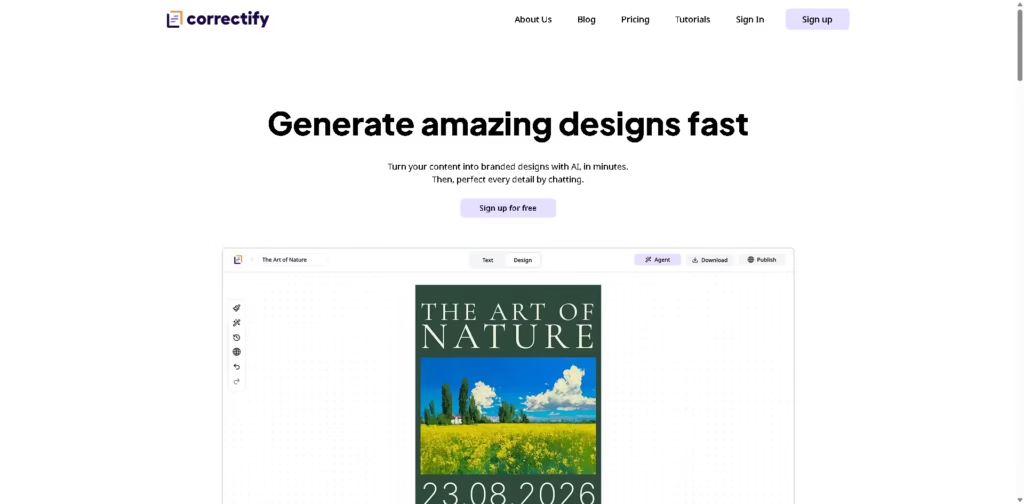
What It Does
Correctify is an AI-powered, content-first design platform that turns text, images, and brand assets into finished designs instead of making users build layouts from scratch. Its core workflow centers on generating complete designs first, then refining them through a conversational AI agent.
Unlike traditional template editors, Correctify uses Blueprints as visual references that recreate a design style with your own content rather than requiring manual template editing. For example, a marketer can import a document, choose a Blueprint, generate a branded presentation, and ask the AI agent to adjust spacing or styling through chat.
At a Glance
| Field | Details |
|---|---|
| Category | AI graphic design platform |
| Primary Workflow | Content-first AI design generation |
| AI Editing | Chat-based design agent |
| Design System | Blueprint-based generation |
| Content Input | Text, images, imported documents, AI-generated text |
| Export | |
| Collaboration | Team support |
| Publishing | Online publishing |
Key Features
- Generates complete branded designs from content.
- Refines designs through a chat-based AI agent.
- Uses Blueprints instead of editable templates.
- Imports documents for faster design creation.
- Proofread content before publishing.
- Exports finished designs as PDF.
- Supports collaborative team workflows.
Best For
- Turning written content into branded marketing materials.
- Creating presentations from imported documents.
- Building consistent designs without manual layout work.
- Refining designs through conversational editing.
- Producing shareable PDF and online designs.
Pros & Cons
| Pros | Cons |
|---|---|
| Content-first workflow reduces manual layout work | Pricing details are not included in the supplied information |
| Blueprints offer a different approach from traditional templates | Supported export formats beyond PDF are not documented |
| Chat-based editing simplifies revisions | Advanced manual design controls are not described |
| AI can generate, import, and proofread content | Integrations with external design tools are not documented |
| Team collaboration is built into the platform | Blueprint customization details are limited |
Alternatives & Comparisons
| Alternative | Best For | Key Difference |
|---|---|---|
| Canva Magic Design | Fast AI-assisted graphic design | Uses editable templates rather than Blueprint-style generation |
| Gamma | AI presentations and documents | Stronger focus on presentations and documents |
| Tome | AI storytelling and presentations | More presentation-oriented workflow |
| Adobe Express | AI-powered creative design | Offers broader manual editing alongside AI tools |
Correctify stands out by treating designs as AI-generated outputs based on content and visual references rather than editable templates. Choose it when you want to generate branded layouts quickly and make revisions through conversation instead of manual design adjustments.
Frequently Asked Questions
What is Correctify used for?
Correctify is used to turn text, images, and branding into complete designs that can be refined through an AI chat workflow.
What are Blueprints?
Blueprints are reference designs that guide AI-generated layouts using your content rather than serving as manually editable templates.
Can Correctify import existing content?
Yes. The platform supports importing documents, adding text and images, and generating content with AI.
Can I edit designs after they’re generated?
Yes. Correctify includes a chat-based AI agent that lets users request design changes conversationally.
Can I export my designs?
Yes. The supplied information confirms PDF export and online publishing capabilities.
Is Correctify suitable for teams?
Yes. Team collaboration is listed as one of the platform’s built-in features.
Overall Rating
| Category | Score |
|---|---|
| Performance | 8.5/10 |
| Ease of Use | 9/10 |
| Feature Set | 8.5/10 |
| Workflow Fit | 9/10 |
| Overall | 8.7/10 |
Correctify is a strong fit for users who want AI to handle layout creation first and use conversational editing to reach a polished, branded design faster.
Final Verdict
- Best for: Marketers, creators, and teams turning content into branded designs quickly.
- Avoid if: You need highly detailed manual design editing comparable to professional design software.
- Biggest strength: Blueprints and chat-based editing streamline the design process from content to finished layout.
- Best alternative: Canva Magic Design for users who prefer AI-assisted editing built around traditional templates.
















