
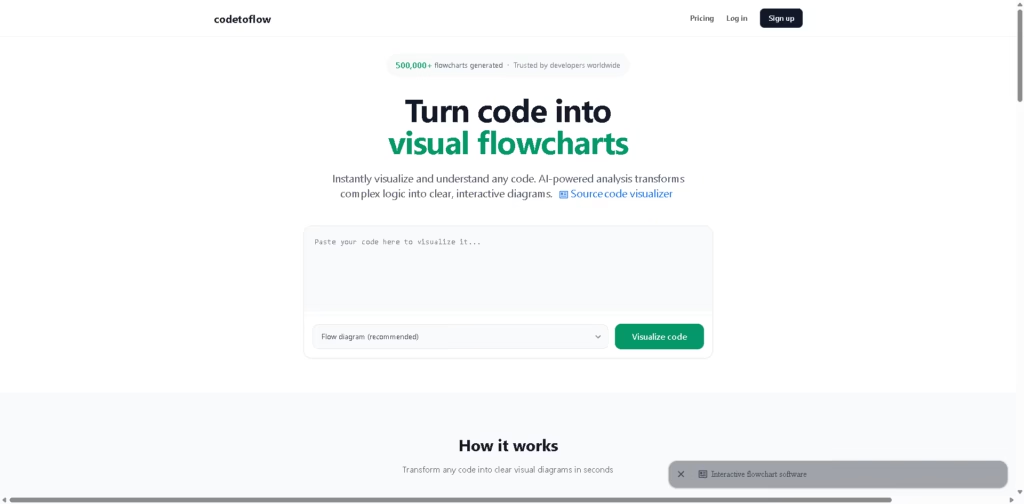
What It Does
CodeToFlow is an AI-powered code visualization tool that converts source code into interactive flowcharts and other software diagrams. It helps developers understand control flow without manually drawing diagrams, making it useful for debugging, documentation, code reviews, and onboarding.
The platform supports multiple programming languages and generates editable diagrams directly from pasted code. A typical workflow is pasting a function or file, letting the AI analyze its logic, then exporting the resulting flowchart as an image or shareable diagram.
At a Glance
| Category | AI Code Visualization |
|---|---|
| Platform | Web |
| Supported Languages | Python, JavaScript, Java, C++, Go, and more |
| Diagram Types | Flow, Sequence, Class, User Journey |
| Export Formats | PNG, SVG, PDF |
| AI Features | Code analysis and explanations |
| Privacy | Vendor states code is not stored |
Key Features
- Convert source code into interactive flowcharts in seconds.
- Support multiple programming languages from one interface.
- Generate flow, sequence, class, and user journey diagrams.
- Export diagrams as PNG, SVG, or PDF.
- Edit and customize generated flowcharts.
- Get AI-generated explanations alongside visual diagrams.
Best For
- Understanding unfamiliar codebases visually.
- Explaining complex functions during code reviews.
- Creating diagrams for technical documentation.
- Teaching programming concepts with visual workflows.
- Debugging complicated control flow faster.
Pros & Cons
| Pros | Cons |
|---|---|
| Supports multiple popular programming languages | Primarily focused on pasted code workflows |
| Generates several diagram types | Advanced repository-wide analysis is not mentioned |
| Editable diagrams with export options | Collaboration features appear limited |
| AI explanations complement visualizations | Pricing details require checking the pricing page |
| Vendor states code is not stored |
Alternatives & Comparisons
| Alternative | Best For | Key Difference |
|---|---|---|
| Mermaid Chart | Manual diagram creation | Text-based diagram authoring instead of AI code analysis |
| PlantUML | Developer-generated diagrams | Requires writing diagram syntax manually |
| CodeSee | Repository visualization | Focuses on larger codebase mapping |
| Lucidchart | General diagramming | Broader diagram creation without AI code parsing |
CodeToFlow fits between manual diagramming tools and full repository visualization platforms. It is the better choice when you want fast AI-generated diagrams from individual code snippets or functions.
Frequently Asked Questions
Which programming languages does CodeToFlow support?
It supports Python, JavaScript, Java, C++, Go, and additional languages.
Can I export the generated diagrams?
Yes. Diagrams can be exported as PNG, SVG, or PDF.
Does CodeToFlow only create flowcharts?
No. It also generates sequence diagrams, class diagrams, and user journey diagrams.
Does the platform store my code?
The vendor states that the uploaded code is never stored or shared.
Can I edit generated diagrams?
Yes. Generated flowcharts can be customized before exporting.
Overall Rating
| Category | Score |
|---|---|
| Performance | 9.1/10 |
| Ease of Use | 9.6/10 |
| Feature Set | 8.8/10 |
| Workflow Fit | 9.2/10 |
| Overall | 9.2/10 |
CodeToFlow stands out for turning code into editable diagrams with minimal effort, making it especially useful for documentation and code comprehension.
Final Verdict
- Best for developers who need instant visual explanations of code logic.
- Avoid if you need complete repository architecture mapping instead of snippet visualization.
- Biggest strength is fast AI-generated diagrams with editable exports and multiple formats.
- The best alternative is CodeSee for larger codebase visualization workflows.
















