
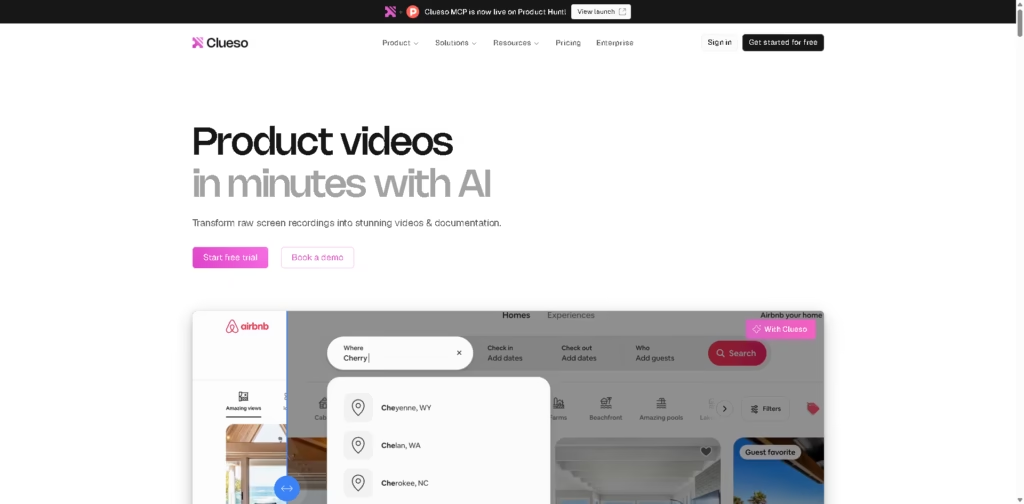
What It Does
Clueso is an AI video and documentation platform that turns screen recordings, existing videos, slide decks, and documents into polished product videos and step-by-step guides. It is designed for customer education, product marketing, learning and development, sales enablement, product management, IT, and customer support teams that need to produce instructional content at scale.
A typical workflow starts with recording or uploading a product demonstration. Clueso can rewrite the script, generate an AI voiceover, add captions and visual effects, and create documentation from the same source video. Users can then customize the video, translate the voiceover and documentation, and export or share the finished content as MP4, GIF, an embedded video, or documentation in supported formats.
Quick Verdict
- Best for: Turning software recordings into training videos and documentation
- Skip if: You need high-volume exports without plan-based limits
- Key Advantage: Combines AI video creation and documentation
- Top Alternative: Scribe
At a Glance
| Feature | Details |
|---|---|
| Category | AI Video & Documentation Software |
| Pricing Model | Freemium |
| Free Tier | Yes |
| Platform | Web |
| API | Not specified |
| Primary Strength | Video and documentation from recordings |
| AI Voiceovers | 500+ to 10K+ voices by plan |
| Browser Extension | Yes |
Pricing & Plans
- Free: $0/month. Includes 1 user, 10 minutes of video exports/month, 15 article exports/month, video exports up to 1080p, and limited Clueso AI credits.
- Solo: $40/month when billed yearly. Includes 1 user, 3 hours of video exports/year, 180 articles/year, 2K video exports, watermark-free exports, in-app chat support, and higher AI credits.
- Business: $120/month when billed yearly. Includes 2 users, 6 hours of video exports/year, 360 articles/year, up to 4K exports, watermark-free exports, and higher AI credits.
- Enterprise: Custom pricing. Includes custom users, export limits, AI credits, enterprise controls, custom Clueprints, voice cloning, SAML/SSO, dedicated customer success, and priority support.
- Annual Billing: The pricing page states that annual billing saves 20%.
- Free Plan: No credit card is required, according to the supplied FAQ.
- Export Limits: Unused monthly minutes do not roll over. Annual plans provide the full annual quota upfront.
- Overages: Exports pause after the plan limit is reached unless the user upgrades or purchases additional capacity where available.
Note: Prices and plan limits may change. Check the official website for current pricing.
Key Features
- Converts screen recordings, PPTs, PDFs, and documents into videos.
- Generates step-by-step documentation directly from recorded workflows.
- Rewrites scripts and generates AI voiceovers with multiple voices and accents.
- Automatically adds captions, smart zooms, visual effects, and animations.
- Translates voiceovers, captions, and documentation into multiple languages.
- Provides screenshot editing, GIF creation, and article editing tools.
Best For
- Creating software training videos from existing screen recordings.
- Turning product demonstrations into step-by-step help documentation.
- Producing localized product videos and documentation.
- Creating customer onboarding and product education materials.
- Standardizing recurring video content with brand controls and templates.
Pros & Cons
Pros:
- Combines video creation and documentation generation in one workflow.
- Supports recordings, mobile videos, existing videos, PPTs, and PDFs as inputs.
- Provides AI voiceovers, captions, translations, visual effects, and script rewriting.
- Supports MP4, GIF, documentation exports, embeds, and view-only sharing.
Cons:
- Video and article exports are limited by plan quotas.
- Several advanced collaboration and branding controls require the Business or Enterprise tiers.
- Voice cloning, SAML/SSO, custom Clueprints, and several advanced enterprise features are restricted to Enterprise.
Alternatives & Comparisons
| Alternative | Best For | Key Difference vs. This Tool |
|---|---|---|
| Scribe | Creating step-by-step process documentation | More documentation-focused, while Clueso combines documentation with AI video production. |
| Loom | Recording and sharing quick video messages | Primarily centered on screen recording and video communication rather than converting recordings into full documentation. |
| Synthesia | AI avatar-based business videos | Focuses on AI-presenter videos, while Clueso is built around software recordings, demonstrations, and documentation. |
Clueso fits between AI video creation and process-documentation platforms by combining screen-recording workflows with automated video and article generation.
Choose Clueso when the same software workflow needs to become both a polished video and reusable documentation.
Frequently Asked Questions
Does Clueso create documentation from videos?
Yes. Clueso can generate step-by-step guides and documentation from videos, with tools for editing screenshots and article content.
Can Clueso convert PowerPoint presentations into videos?
Yes. PPT and slide-deck conversion is included across the listed plans.
Does Clueso offer AI voiceovers?
Yes. AI voiceovers are included across the plans, with the listed voice library increasing from 500+ voices on Free to 10K+ on paid plans. Voice cloning is an Enterprise feature.
Can Clueso translate videos?
Yes. Clueso can translate voiceovers, captions, and documentation, with an additional translation glossary and custom rules available for Enterprise.
What happens when I reach my video export limit?
Exports are paused until the next renewal unless you upgrade or purchase an available add-on for additional minutes. On monthly plans, unused minutes do not roll over.
ToolsPedia Rating
These ratings are based on the documented feature set, plan structure, and supplied product information, not hands-on testing.
- Performance & Speed: 4.2/5.0
- Ease of Setup: 4.4/5.0
- Feature Depth: 4.7/5.0
- Value for Price: 4.0/5.0
- ToolsPedia Score: 4.3/5.0
Final Thoughts
Clueso provides a broad workflow for teams that need to turn software recordings into both polished videos and structured documentation. Its free plan makes the core workflow accessible, while higher tiers add greater export capacity, collaboration, branding, and enterprise controls. Start with the free plan to evaluate the recording-to-video and documentation workflow before moving to a paid tier.
















