
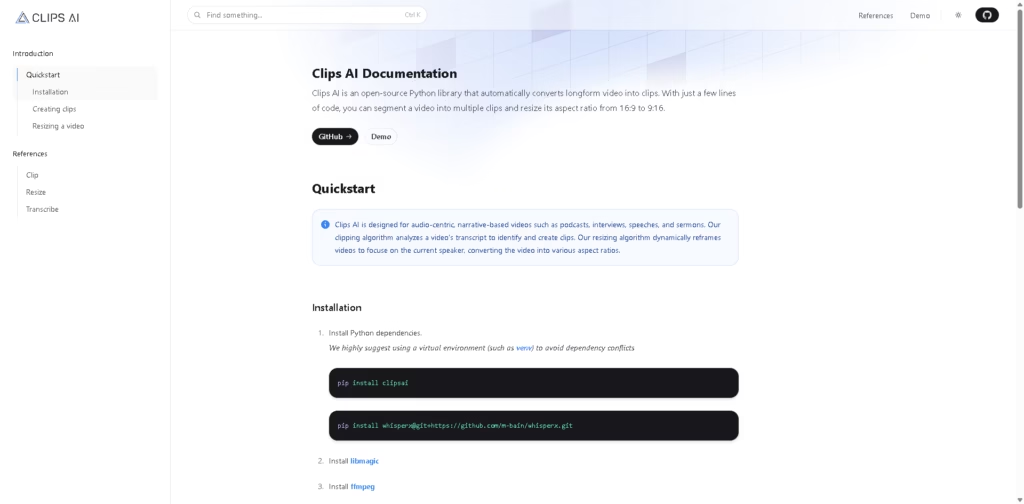
What It Does
Clips AI is an open-source Python library that automatically turns long-form, audio-centric videos into shorter clips. It is designed primarily for podcasts, interviews, speeches, sermons, and similar narrative content where useful segments can be identified from the transcript.
Its workflow combines transcription, transcript-based clip detection, and speaker-aware video reframing. For example, a developer can transcribe a podcast with WhisperX, use Clips AI to identify suitable segments, then reframe those clips from 16:9 to 9:16 for vertical video.
At a Glance
| Field | Details |
|---|---|
| Category | Open-source video clipping library |
| Language | Python |
| Primary Use | Automated long-form video clipping |
| Input | Long-form video |
| Transcription | WhisperX |
| Speaker Detection | Pyannote |
| Aspect Ratios | Supports resizing such as 16:9 to 9:16 |
| License Model | Open-source |
Key Features
- Automatically identifies potential clips from video transcripts.
- Uses WhisperX for word-level transcription timing.
- Dynamically reframes videos around the current speaker.
- Converts videos between different aspect ratios.
- Provides Python APIs for clipping and resizing workflows.
- Supports audio-centric narrative videos such as podcasts and interviews.
Best For
- Extracting short clips from long-form podcast recordings.
- Finding usable segments from interviews automatically.
- Creating vertical versions of landscape videos.
- Building automated video-processing pipelines with Python.
- Reframing multi-speaker content around the active speaker.
Pros & Cons
| Pros | Cons |
|---|---|
| Open-source and usable directly within Python projects. | Requires technical setup and Python development knowledge. |
| Transcript-based clip detection is well-suited to spoken-content videos. | Installation requires additional dependencies, including WhisperX and FFmpeg. |
| Speaker-aware reframing helps create vertical content from landscape footage. | Pyannote speaker diarization requires a Hugging Face access token. |
| Useful building blocks for custom automated video workflows. | Less suitable for users looking for a polished, no-code video editor. |
Alternatives & Comparisons
| Alternative | Best For | Key Difference |
|---|---|---|
| OpusClip | Automated social clips for non-technical users | Provides a consumer-facing video clipping platform rather than a Python library. |
| Wisecut | Automatic editing and short-form video creation | Offers a more complete browser-based editing workflow. |
| Descript | Transcript-based video and podcast editing | Combines transcription, editing, and content production in a broader editor. |
| AutoPod | Automated podcast and video editing | Focuses on automated editing workflows within professional video production. |
Clips AI is positioned more as a developer toolkit than a finished social-media video editor. Choose it when you want programmatic control and an open-source workflow rather than a graphical editing application.
Frequently Asked Questions
Is Clips AI a standalone video editor?
No. Clips AI is an open-source Python library intended for programmatic video clipping, transcription-based segment detection, and resizing.
What type of videos work best with Clips AI?
It is specifically designed for audio-centric, narrative videos such as podcasts, interviews, speeches, and sermons.
Does Clips AI automatically transcribe videos?
The documented workflow uses WhisperX to transcribe the video’s audio before Clips AI identifies suitable clips.
Can Clips AI create vertical videos?
Yes. Its resizing functionality can dynamically reframe video and support aspect ratios such as 9:16.
Does resizing require additional services?
Yes. The documented resizing workflow uses Pyannote for speaker diarization and requires a Hugging Face access token.
Overall Rating
| Category | Score |
|---|---|
| Performance | 8.5/10 |
| Ease of Use | 6.5/10 |
| Feature Set | 7.8/10 |
| Workflow Fit | 8.8/10 |
| Overall | 8.1/10 |
Clips AI is a capable foundation for developers building automated long-form-to-short-form video pipelines, but its setup makes it less accessible to non-technical users.
Final Verdict
- Best for: Developers building automated podcast, interview, and long-form video clipping workflows.
- Avoid if you want a polished, no-code editor for creating social clips.
- Biggest strength: Transcript-based clipping combined with speaker-aware video reframing.
- Best alternative: OpusClip is better suited to users who want an automated, ready-to-use clipping platform.
















