
What It Does
ChatGPT Text Formatter is a free web-based text formatting and conversion tool designed to make AI-generated text easier to read and reuse. Its primary workflow is aimed at people who copy AI-generated content into documents, spreadsheets, presentations, or other applications and want to convert it into a cleaner, more usable format.
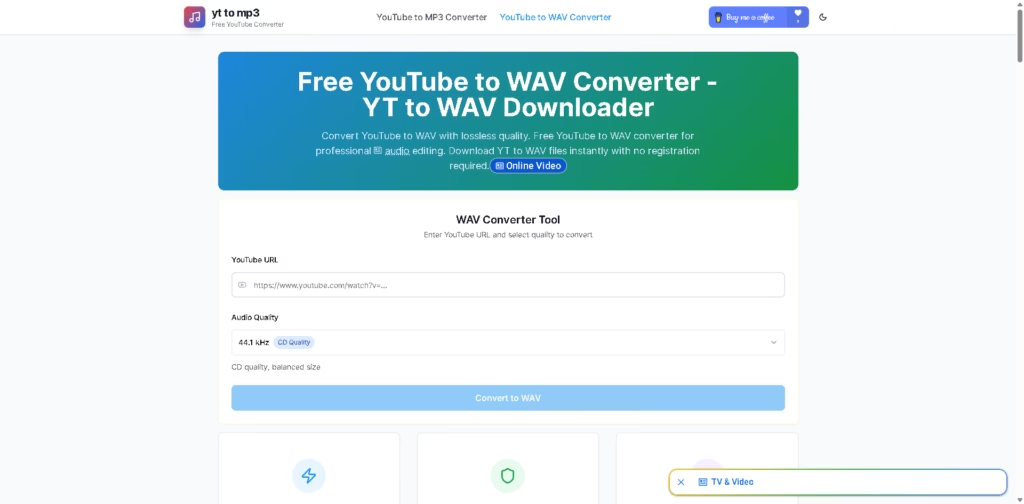
The workflow is straightforward: copy text generated by an AI service, paste it into the AI Text Formatter, click Convert, and copy the formatted result from the output panel. The site also provides separate utilities, including a LinkedIn Text Formatter, Case Convert tool, and YouTube-to-audio converters.
Quick Verdict
- Best for: Formatting and converting AI-generated text for reuse
- Skip if: You need advanced AI writing or editing capabilities
- Key Advantage: Free, browser-based text formatting
- Top Alternative: QuillBot
At a Glance
| Feature | Details |
|---|---|
| Category | AI Text Formatter |
| Pricing Model | Free |
| Free Tier | Yes |
| Platform | Web |
| API | Not specified |
| Primary Strength | Simple AI text formatting |
| Additional Tools | LinkedIn Text Formatter, Case Converter |
| Audio Tools | YouTube-to-MP3 and YouTube-to-WAV |
Key Features
- Converts AI-generated text into a more readable, structured format.
- Provides a copy-and-paste workflow for AI-generated content.
- Offers dedicated LinkedIn text formatting functionality.
- Includes a separate case conversion tool.
- Provides YouTube-to-MP3 and YouTube-to-WAV conversion tools.
- Supports WAV conversion with a listed 44.1 kHz quality option.
Best For
- Formatting AI-generated text before pasting it into documents.
- Preparing AI content for spreadsheets and presentations.
- Cleaning up copied AI text for collaborative Google Docs workflows.
- Converting YouTube videos into WAV files for audio editing.
- Converting YouTube videos into MP3 files for smaller audio files.
Pros
- The AI Text Formatter is presented as a free tool.
- The core workflow requires only copying, pasting, converting, and copying the result.
- The website combines text-formatting utilities with YouTube audio converters.
- The WAV converter does not require registration according to the supplied description.
Cons
- API availability is not specified in the supplied information.
- Advanced text-editing or AI-generation capabilities are not clearly documented.
- The site combines several unrelated utilities, which may make it less focused than dedicated writing platforms.
Alternatives & Comparisons
| Alternative | Best For | Key Difference vs. This Tool |
|---|---|---|
| QuillBot | Paraphrasing and writing assistance | Provides broader AI writing and paraphrasing functionality |
| Grammarly | Grammar and writing refinement | Focuses more on writing correction and editing |
| Wordtune | Rewriting and tone adjustment | Provides more extensive rewriting functionality |
ChatGPT Text Formatter occupies a lightweight niche focused on formatting and converting AI-generated text rather than comprehensive AI writing assistance. Choose it when you mainly need a free browser-based formatter instead of advanced paraphrasing, grammar correction, or AI writing features.
Frequently Asked Questions
Is ChatGPT Text Formatter free?
Yes. The supplied website description presents the AI Text Formatter as a free tool supported by donations.
Does ChatGPT Text Formatter have an API?
An API is not specified in the supplied information.
What can I do with the AI Text Formatter?
You can paste AI-generated text into the tool, convert it into a more readable format, and copy the resulting text for use in applications such as Word, Excel, and Google Docs.
Can the YouTube-to-WAV converter require registration?
The supplied WAV converter description states that downloads are available without registration.
ToolsPedia Rating
- Performance & Speed: 4.0/5.0
- Ease of Setup: 4.5/5.0
- Feature Depth: 2.8/5.0
- Value for Price: 4.5/5.0
- ToolsPedia Score: 3.8/5.0
Final Thoughts
ChatGPT Text Formatter is best viewed as a simple utility rather than a full AI writing platform. Its free browser-based workflow is useful for users who regularly move AI-generated text into other applications and need basic formatting or conversion tools. Try the free formatter first if your primary requirement is straightforward AI text cleanup.
















