
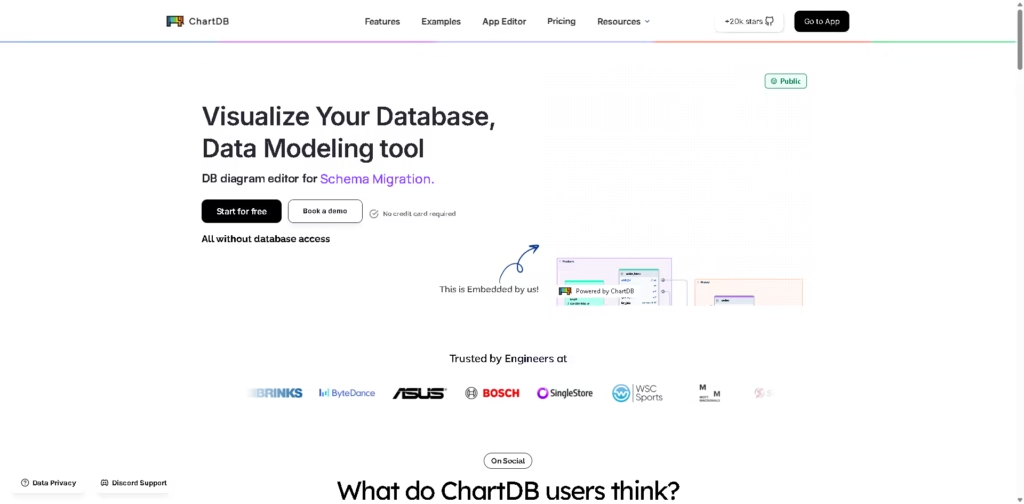
What It Does
ChartDB is a database schema visualization and ER diagram tool that helps developers turn SQL schemas into editable visual diagrams. It supports both a cloud version for quick browser-based use and a free, open-source self-hosted version for teams that want full control over their data.
The platform is designed for software engineers, database administrators, and architects who need to understand, document, or design relational databases without manually drawing diagrams. It can import existing schemas, generate diagrams from AI prompts, export SQL, and keep diagrams synchronized with supported databases.
A typical workflow is importing a PostgreSQL schema, automatically generating an ER diagram, editing relationships visually, and exporting updated SQL for documentation or development.
At a Glance
| Field | Details |
|---|---|
| Category | Database schema visualization & ER diagram tool |
| Platforms | Web, Self-hosted |
| Deployment | Cloud and open-source self-hosted |
| Supported Databases | PostgreSQL, MySQL, SQL Server, SQLite, MariaDB, Oracle, Snowflake, BigQuery and more |
| AI Features | AI ER diagram generation |
| Collaboration | Real-time team collaboration |
| Primary Strength | Fast schema visualization without requiring database access |
Key Features
- Import complete database schemas with a single query.
- Generate editable ER diagrams from AI prompts.
- Synchronize diagrams with supported live databases.
- Export diagrams as SQL DDL scripts or images.
- Collaborate on diagrams in real time.
- Track schema changes with version history.
Best For
- Understanding unfamiliar database schemas quickly.
- Creating ER diagrams for software documentation.
- Designing relational databases before implementation.
- Collaborating on database architecture with teammates.
- Keeping database diagrams synchronized during development.
Pros & Cons
| Pros | Cons |
|---|---|
| Cloud and self-hosted deployment options | Live sync depends on supported databases |
| AI-assisted ER diagram generation | Advanced collaboration appears cloud-focused |
| Supports many major SQL databases | Best experience centers on relational databases |
| Exports SQL and documentation-friendly diagrams | Some enterprise features may require paid plans |
| Open-source self-hosted edition available |
Alternatives & Comparisons
| Alternative | Best For | Key Difference |
|---|---|---|
| dbdiagram.io | Simple schema visualization | Simpler interface with fewer built-in collaboration features |
| DrawSQL | Team diagramming | More collaborative-first, less focused on AI schema generation |
| DBeaver ERD | Existing database users | ER diagrams inside a desktop database client |
| SQLDBM | Enterprise database modeling | More enterprise-focused modeling workflows |
ChartDB fits between lightweight diagramming tools and enterprise database modeling software. It is a strong choice for developers who want quick schema imports, AI-assisted diagrams, and the option to self-host.
Frequently Asked Questions
Can ChartDB work without connecting directly to my database?
Yes. The cloud workflow is designed to generate diagrams without requiring direct database access, using schema queries instead.
Which databases does ChartDB support?
It supports PostgreSQL, MySQL, SQL Server, SQLite, MariaDB, Oracle, ClickHouse, CockroachDB, Snowflake, BigQuery, and several other relational databases.
Does ChartDB support AI-generated ER diagrams?
Yes. It includes an AI ER diagram generator that creates editable diagrams from prompts.
Is there a self-hosted version?
Yes. ChartDB offers a free, open-source self-hosted edition alongside its cloud service.
Can I export my diagrams?
Yes. Diagrams can be exported as SQL DDL scripts or image files for documentation.
Overall Rating
| Category | Score |
|---|---|
| Performance | 9.4/10 |
| Ease of Use | 9.3/10 |
| Feature Set | 9.5/10 |
| Workflow Fit | 9.6/10 |
| Overall | 9.5/10 |
ChartDB stands out by combining rapid schema visualization, AI-assisted diagram creation, and an open-source self-hosted option in a workflow that suits both individual developers and teams.
Final Verdict
- Best for: Developers needing fast ER diagrams from existing SQL schemas.
- Avoid if: You only need a basic static diagramming tool.
- Biggest strength: Combines AI generation, schema imports, and self-hosting flexibility.
- Best alternative: dbdiagram.io for simpler database visualization.
















