
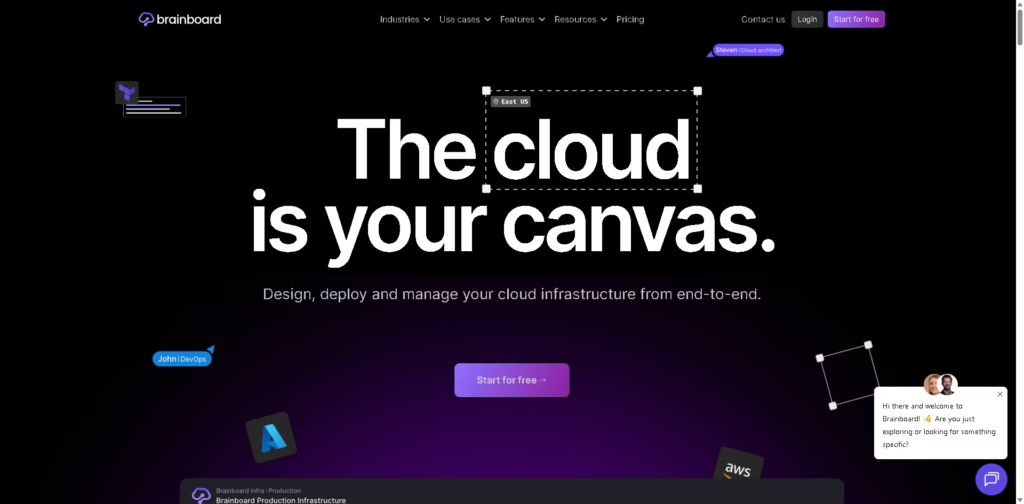
What It Does
Brainboard is a visual cloud infrastructure platform that lets teams design, deploy, and manage infrastructure using Terraform from a collaborative interface. Instead of creating diagrams separately from Infrastructure as Code (IaC), the platform generates Terraform as you build cloud architectures.
It is aimed at DevOps teams, cloud architects, platform engineers, and organizations managing AWS, Azure, Google Cloud, Oracle Cloud, or other supported providers. The platform focuses on reducing manual Terraform work while adding governance, security checks, cost visibility, and collaboration into one workflow.
A typical workflow is designing a multi-cloud architecture visually, generating Terraform automatically, validating security and costs through integrated checks, then deploying through Git-based CI/CD.
At a Glance
| Category | Cloud Infrastructure Management |
|---|---|
| Platform | Web application |
| Primary Technology | Terraform Infrastructure as Code |
| Cloud Providers | AWS, Azure, GCP, OCI, Scaleway |
| Deployment | Multi-cloud |
| API | Available |
| Free Plan | Yes |
| Primary Strength | Visual infrastructure design with automatic Terraform generation |
Key Features
- Generate Terraform while designing cloud architectures visually.
- Support AWS, Azure, GCP, OCI, and Scaleway in one workspace.
- Detect Terraform state drift with scheduled scans.
- Build CI/CD pipelines through a visual workflow engine.
- Enforce standards using reusable templates and naming conventions.
- Integrate with Checkov, tfsec, Terrascan, OPA, Slack, and Git platforms.
Best For
- Designing Terraform infrastructure visually before deployment.
- Managing multi-cloud environments from one workspace.
- Standardizing reusable infrastructure templates across teams.
- Detecting configuration drift between Terraform and production.
- Collaborating on cloud architecture with Git-based workflows.
Pros & Cons
| Pros | Cons |
|---|---|
| Visual design generates Terraform automatically | Terraform-centric workflow may not suit non-IaC teams |
| Supports multiple major cloud providers | Pricing details require checking the pricing page |
| Built-in security and cost integrations | Advanced governance features target larger teams |
| Native Git and RBAC support | Learning Terraform concepts still helps maximize value |
| Drift detection improves infrastructure visibility |
Alternatives & Comparisons
| Alternative | Best For | Key Difference |
|---|---|---|
| Terraform Cloud | Terraform-first teams | Focuses more on Terraform workflows than visual design |
| Pulumi | Code-first infrastructure | Uses programming languages instead of visual diagrams |
| Lucidchart | Architecture documentation | Creates diagrams but does not generate Terraform |
| Cloudcraft | AWS architecture visualization | More visualization-focused with narrower cloud scope |
Brainboard occupies the space between visual diagramming and Infrastructure as Code platforms. It is a stronger choice when teams want collaborative cloud design that stays connected to deployable Terraform.
Frequently Asked Questions
Does Brainboard replace Terraform?
No. Brainboard generates and manages Terraform workflows rather than replacing Terraform itself.
Which cloud providers does Brainboard support?
It supports AWS, Azure, Google Cloud Platform, Oracle Cloud Infrastructure, and Scaleway.
Can Brainboard detect infrastructure drift?
Yes. It includes scheduled Terraform state drift detection with configurable scan intervals.
Does Brainboard integrate with Git?
Yes. It supports GitHub, GitLab, Bitbucket, and Azure DevOps.
Can teams collaborate inside Brainboard?
Yes. The platform includes role-based access control, versioning, and collaborative infrastructure design.
Overall Rating
| Category | Score |
|---|---|
| Performance | 9.2/10 |
| Ease of Use | 8.8/10 |
| Feature Set | 9.5/10 |
| Workflow Fit | 9.3/10 |
| Overall | 9.2/10 |
Brainboard delivers a strong balance of visual collaboration and Terraform automation, making it particularly valuable for teams managing modern cloud infrastructure.
Final Verdict
- Best for DevOps and platform teams managing multi-cloud infrastructure with Terraform.
- Avoid if you only need static cloud diagrams without deployment workflows.
- The biggest strength is generating deployable Terraform directly from visual infrastructure designs.
- The best alternative is Terraform Cloud for organizations preferring a Terraform-first workflow.
















