
What It Does
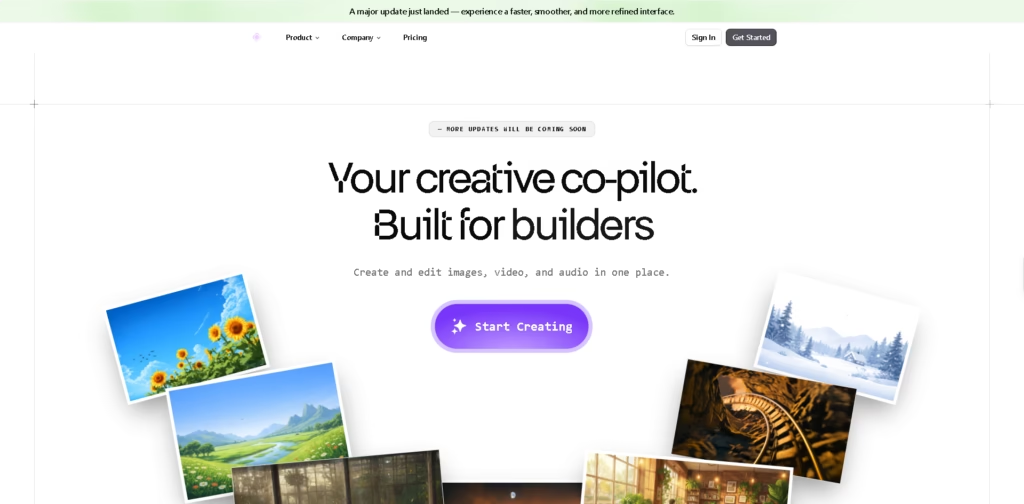
Artypa is a web-based AI creative platform that combines image, video, and audio generation with editing tools in a single workspace. Instead of using separate AI apps for each media type, it provides a unified canvas for creating visuals, short videos, music, voiceovers, and image enhancements from text prompts or existing content.
The platform is aimed at creators, marketers, developers, and content teams who want an all-in-one creative workflow rather than juggling multiple AI tools. A typical workflow is generating an image from a prompt, editing or upscaling it, turning it into a short video, and adding AI-generated audio before exporting the final asset.
At a Glance
| Field | Details |
|---|---|
| Category | AI Creative Suite |
| Platform | Web |
| Media Types | Images, video, and audio |
| Image Editing | Style transfer, upscaling, background removal |
| Video Creation | Text-to-video and image-to-video |
| Audio Creation | Music, sound effects, and voiceovers |
| Primary Strength | Multi-format creation in one workspace |
Key Features
- Generates AI images from text prompts.
- Creates short videos from text or images.
- Applies artistic styles and targeted image edits.
- Upscales images while restoring detail.
- Removes backgrounds with transparent outputs.
- Generates music, sound effects, and voiceovers.
Best For
- Creating social media content across multiple formats.
- Turning AI artwork into animated short videos.
- Producing quick marketing assets with voiceovers.
- Cleaning and enhancing existing images.
- Managing creative workflows without switching between multiple AI apps.
Pros & Cons
| Pros | Cons |
|---|---|
| Combines image, video, and audio tools in one platform. | Supported AI models are not fully detailed publicly. |
| Includes practical editing tools beyond generation. | Export formats and quality limits are not clearly specified. |
| Background removal and upscaling expand post-production workflows. | Integration options are not prominently documented. |
| A single workspace reduces app switching. | Advanced video editing controls appear limited compared with dedicated editors. |
Alternatives & Comparisons
| Alternative | Best For | Key Difference |
|---|---|---|
| Canva Magic Studio | Design-focused content creation | Stronger template and design workflow. |
| Adobe Firefly | Professional creative editing | Deeper Adobe ecosystem integration. |
| Runway | AI video creation | More advanced video editing capabilities. |
| Leonardo AI | AI image generation | Stronger image-first creative workflow. |
Artypa positions itself as an all-in-one creative hub instead of a specialized image or video tool. Choose it when you want a unified workflow across multiple media types rather than the deepest feature set in a single category.
Frequently Asked Questions
Can Artypa generate both images and videos?
Yes. The platform supports text-to-image, text-to-video, and image-to-video generation.
Does Artypa include image editing tools?
Yes. It offers style transfer, upscaling, and background removal alongside image generation.
Can I create AI-generated audio?
Yes. The platform can generate music, sound effects, and voiceovers from text prompts.
Is Artypa a web-based platform?
Yes. The product is accessed through a web interface.
Does Artypa replace professional editing software?
It covers many common AI creation tasks, but publicly available information does not indicate that it offers the advanced editing depth of dedicated professional creative suites.
Overall Rating
| Category | Score |
|---|---|
| Performance | 4.5/5 |
| Ease of Use | 4.7/5 |
| Feature Set | 4.6/5 |
| Workflow Fit | 4.8/5 |
| Overall | 4.6/5 |
Artypa’s strongest advantage is bringing image, video, and audio generation together in one workflow, making it particularly appealing for creators who prioritize speed and convenience.
Final Verdict
- Best for: Creating AI images, videos, and audio from one workspace.
- Avoid if: You need advanced professional video editing or detailed creative suite integrations.
- Biggest strength: Unified multi-format AI creation without switching between separate tools.
- Best alternative: Adobe Firefly for creators already invested in the Adobe ecosystem.
















