
What It Does
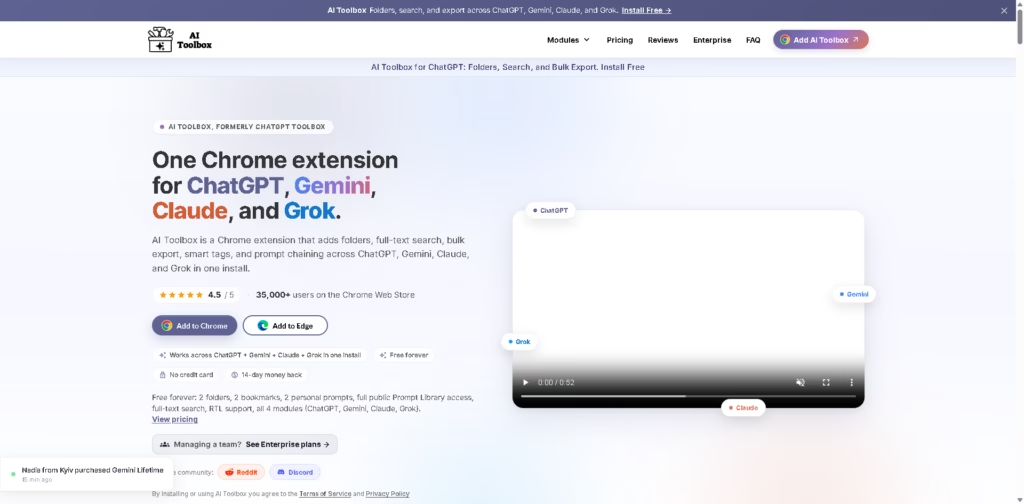
AI Toolbox is a productivity extension that enhances ChatGPT, Gemini, Claude, and Grok with powerful organization and workflow features.
It adds folders, full-text search, prompt management, bulk export, bookmarks, smart tags, and automation tools, making it much easier to organize conversations, find past chats, and streamline everyday AI workflows.
Key Features
- Works Across Four AI Platforms – Supports ChatGPT, Gemini, Claude, and Grok in a single Chrome extension.
- Folders & Subfolders – Organize conversations with nested folders for better project management.
- Full-Text Search – Search inside entire conversations instead of only chat titles.
- Bulk Export – Export selected chats in TXT, Markdown, JSON, or PDF formats.
- Prompt Library – Save, organize, and quickly reuse frequently used prompts.
- Prompt Chaining – Combine prompts into automated workflows with reusable variables.
- Smart Tags – Categorize chats for faster organization and retrieval.
- Message Bookmarks – Save important messages for quick access later.
- Click-and-Search Workflow – Quickly locate and organize conversations without scrolling through long histories.
- Command Palette – Access common actions using keyboard shortcuts.
- Media Gallery – View images shared across conversations in one place.
- Usage Dashboard – Monitor AI usage and activity through built-in analytics.
- Cross-Platform Support – Maintain a consistent workflow across multiple AI assistants.
- Local-First Storage – Stores data locally in your browser, helping improve privacy.
- Multi-Language Support – Includes support for multiple interface languages, including RTL layouts.
Who Is AI Toolbox For?
- ChatGPT Power Users – Organize large conversation histories with folders and search.
- Developers – Manage coding discussions, prompts, and project documentation efficiently.
- Content Creators – Store reusable prompts and export AI-generated content quickly.
- Researchers – Easily search previous conversations and organize research projects.
- Students – Keep coursework, notes, and AI discussions neatly categorized.
- Marketing Professionals – Save marketing prompts and organize client conversations.
- Business Teams – Manage shared AI workflows with enterprise administration features.
- Anyone Using Multiple AI Platforms – Work seamlessly across ChatGPT, Gemini, Claude, and Grok using one extension.
Final Thoughts
AI Toolbox transforms popular AI chat platforms into organized productivity workspaces. Instead of relying on long conversation lists, users gain folders, advanced search, prompt management, bookmarks, exports, and workflow automation-all from a single extension.
Its support for multiple AI platforms and local-first approach makes it especially useful for professionals and frequent AI users who want to stay organized and work more efficiently.
If you regularly use AI for work, study, or content creation, AI Toolbox is a valuable productivity upgrade worth exploring.
















