
What It Does
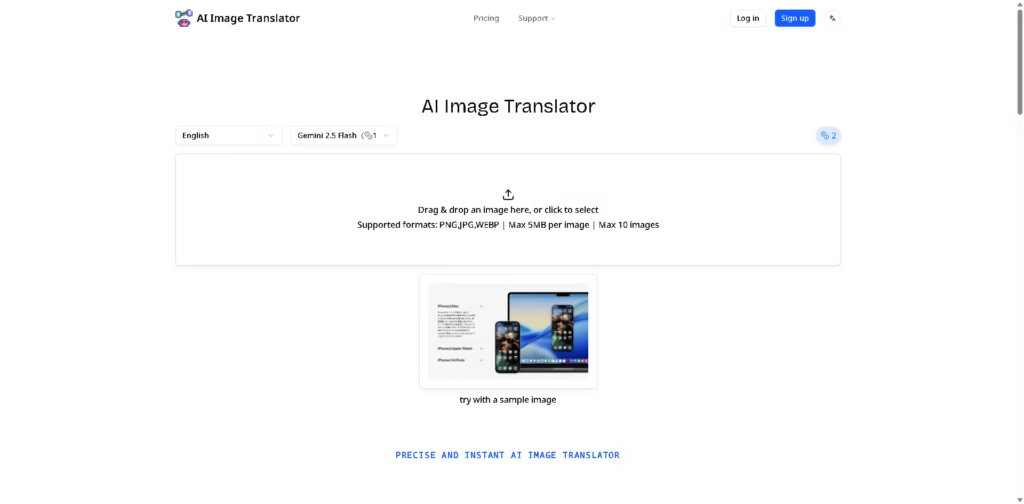
AI Image Translator is a web-based image translation tool that converts text inside images into other languages. It is designed for users who need to translate individual images or process multiple images, with support for automatic language detection, mixed-language content, vertical text, and right-to-left scripts.
A typical workflow involves uploading a PNG, JPG, or WEBP image, letting the tool detect the text and source language, and receiving a translated image with the original text removed and the translated text placed back into the design. The platform supports up to 10 images per upload and a maximum file size of 5 MB per image.
Quick Verdict
- Best for: Translating text embedded in images
- Skip if: You need document or video translation
- Key Advantage: Automatic text detection and visual restoration
- Top Alternative: Google Translate
At a Glance
| Feature | Details |
|---|---|
| Category | AI Image Translation |
| Pricing Model | Credit-Based |
| Free Tier | Yes |
| Platform | Web |
| API | Not specified |
| Primary Strength | Image text translation |
| AI Model | Gemini 2.5 Flash |
| Input Formats | PNG, JPG, WEBP |
Pricing & Plans
- Free: $0 with 5 credits and basic models. Commercial use is listed as included.
- Pro: $9.90/month with 500 credits per month, basic models, full support, and commercial use.
- Premium: $19.90/month with 1,200 credits per month, basic models, additional models marked as coming soon, full support, and commercial use.
- Input limits: Images must be PNG, JPG, or WEBP, with a maximum size of 5 MB per image and up to 10 images per upload.
Note: Prices and plan limits may change. Check the official website for current pricing.
Key Features
- Translates images across 100+ languages and scripts.
- Automatically detects languages without manual source-language selection.
- Handles mixed-language content, vertical text, and RTL scripts.
- Removes source text and restores the underlying image background.
- Matches translated text placement, sizing, colors, and original layout.
- Supports batch processing of up to 10 images.
Best For
- Translating text embedded in screenshots and graphics
- Localizing promotional images into multiple languages
- Processing batches of image translations
- Translating images containing mixed-language text
- Localizing graphics containing Arabic, Hebrew, or vertical text
Pros & Cons
Pros:
- Supports 100+ languages and scripts.
- Automatic language detection reduces manual setup.
- Background restoration helps maintain the original visual design.
- Paid plans include commercial use.
Cons:
- Each uploaded image is limited to 5 MB.
- Uploads are limited to 10 images at a time.
- API availability is not specified in the provided information.
Alternatives & Comparisons
| Alternative | Best For | Key Difference vs. This Tool |
|---|---|---|
| Google Translate | General translation across text and images | Broader translation use cases beyond dedicated image processing |
| DeepL | Text and document translation | More focused on text and document translation workflows |
| Transor | Web, PDF, image, and video translation | Covers more content types and browser-based translation workflows |
AI Image Translator is positioned specifically around translating text embedded in visual content rather than providing a broader translation suite.
Choose it when your main requirement is converting text inside images while retaining the original visual layout.
Frequently Asked Questions
How many languages does AI Image Translator support?
It supports more than 100 languages and scripts, including mixed-language, vertical, and RTL content.
What image formats are supported?
The tool accepts PNG, JPG, and WEBP images.
How many images can I upload at once?
The upload interface supports up to 10 images at a time.
What is the maximum image size?
Each image can be up to 5 MB.
Does AI Image Translator offer a free plan?
Yes. The Free plan costs $0 and provides 5 credits with basic models.
ToolsPedia Rating
- Performance & Speed: 4.3/5.0
- Ease of Setup: 4.5/5.0
- Feature Depth: 4.1/5.0
- Value for Price: 4.3/5.0
- ToolsPedia Score: 4.3/5.0
Final Thoughts
AI Image Translator focuses on a specific workflow: translating text within images while preserving the surrounding visual design. AI Image Translator’s 100+ language support, automatic detection, background restoration, and batch processing make AI Image Translator suitable for image localization tasks. Start with the free plan to evaluate the 5-credit allowance before choosing a paid plan for larger workloads.
















