
What It Does
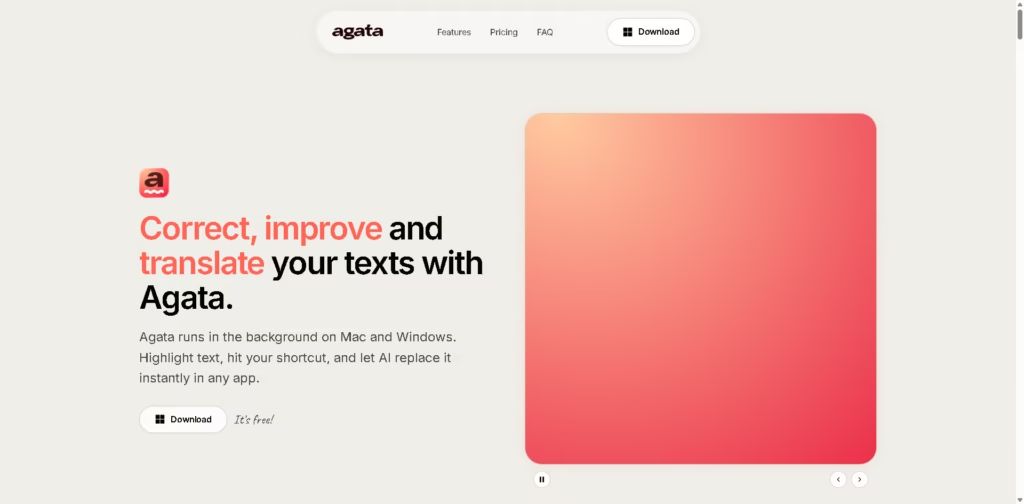
Agata is a desktop AI writing assistant for Windows and Mac that corrects, refines, and translates selected text through keyboard shortcuts. It works across desktop applications, including email clients, office software, browsers, messaging apps, design tools, CRM systems, and developer tools. Users can either connect their own LLM API key for Basic mode or use Agata’s hosted Gemini Flash 2.5 model with Pro.
A typical workflow is to highlight an email sentence in Outlook, press Agata’s keyboard shortcut, and let the tool replace the selected text with corrected grammar, spelling, punctuation, and improved wording. The same workflow can be used for text in applications such as Slack, Microsoft Word, Google Docs, Canva, Notion, or other supported desktop applications.
Quick Verdict
- Best for: Correcting and refining text directly inside desktop applications
- Skip if: You need a mobile-first writing assistant
- Key Advantage: System-wide editing through keyboard shortcuts
- Top Alternative: Grammarly
At a Glance
| Feature | Details |
|---|---|
| Category | AI Writing Assistant |
| Pricing Model | Freemium |
| Free Tier | Yes |
| Platform | Windows, Mac |
| API | Not specified |
| Primary Strength | Keyboard-based editing across desktop apps |
| AI Models | User-selected LLMs; Gemini Flash 2.5 and Pro |
Pricing & Plans
- Basic: $0/month. Includes a connected LLM provider using your own API key, Auto-Correct, and Refine Style.
- Pro: $5.99/month. Includes a connected LLM provider, Auto-Correct, Refine Style, Translation, unlimited custom commands, custom keyboard shortcuts, and Agata AI powered by Gemini Flash 2.5.
- BYOK: Basic users can connect their own LLM API key and control their own AI usage and costs.
- Pro hosted AI: Pro includes access to Agata’s hosted Gemini Flash 2.5 model.
Note: Prices and plan limits may change. Check the official website for current pricing.
Key Features
- Corrects spelling, grammar, and punctuation with a keyboard shortcut.
- Refines tone and clarity without changing the intended meaning.
- Translates selected text between languages.
- Creates custom AI commands for repetitive writing tasks.
- Supports custom keyboard shortcuts for frequently used actions.
- Connects with multiple LLM providers through user-owned API keys.
Best For
- Correcting emails directly inside Outlook, Gmail, and other messaging apps.
- Refining business messages before sending them.
- Translating selected text without switching applications.
- Creating repeatable AI commands for routine writing tasks.
- Editing text inside documents, browsers, design tools, and developer software.
Pros & Cons
Pros:
- Works across a very broad range of desktop applications.
- Basic mode is free when using your own API key.
- Supports multiple LLM providers, including OpenAI, Claude, Gemini, and DeepSeek.
- Pro combines translation, custom commands, shortcuts, and hosted AI.
Cons:
- Basic mode requires users to provide their own LLM API key.
- The provided platform information covers Windows and Mac only.
- Hosted Gemini AI and unlimited custom commands require the paid Pro plan.
Alternatives & Comparisons
| Alternative | Best For | Key Difference vs. This Tool |
|---|---|---|
| Grammarly | Broad desktop and browser writing assistance | Offers real-time suggestions, generative AI, and browser support across its desktop ecosystem. |
| LanguageTool | Multilingual grammar and style checking | Supports 30+ languages and provides browser, desktop, and system-wide shortcut options. |
| Wordtune | Rewriting and AI-assisted content editing | Focuses more heavily on rewriting, summarization, contextual suggestions, and AI content generation. |
Agata fits the desktop writing-assistant market around shortcut-based editing, LLM flexibility, and application-wide text replacement. Choose Agata when you specifically want keyboard-triggered correction and refinement with the option to bring your own LLM key.
Frequently Asked Questions
Does Agata work outside Microsoft Word?
Yes. Agata is designed to work across desktop applications, and its listed supported apps include browsers, email clients, messaging platforms, office software, CRM systems, design applications, and developer tools.
Can I use my own AI model with Agata?
Yes. Basic mode allows users to connect an LLM provider using their own API key. Listed providers include Groq, Gemini, Claude, DeepSeek, Mistral AI, Qwen, and OpenAI.
Does Agata provide translation?
Yes. Translation is included in Agata Pro and can also be unlocked using an API key.
What is the difference between Agata Basic and Pro?
Basic provides Auto-Correct and Refine Style with your own API key. Pro adds Translation, unlimited custom commands, custom keyboard shortcuts, and Agata AI powered by Gemini Flash 2.5.
Is Agata available on mobile?
The provided product information specifies Mac and Windows desktop support. Mobile support is not specified.
ToolsPedia Rating
- Performance & Speed: 4.3/5.0
- Ease of Setup: 4.2/5.0
- Feature Depth: 4.2/5.0
- Value for Price: 4.6/5.0
- ToolsPedia Score: 4.3/5.0
Final Thoughts
Agata is built around a straightforward workflow: select text, use a keyboard shortcut, and replace it with corrected, refined, or translated text. Its combination of broad desktop-app compatibility, BYOK support, and a $5.99 Pro plan makes it particularly relevant for users who frequently edit text across multiple applications.
















